LinkTrack · the CRM for LinkedIn®Know who to follow up with on LinkedIn, and when
Save LinkedIn profiles with the Chrome extension, no copy-pasting. Reminders and a daily follow-up list show who to get back to. Built for recruiting and sales teams.
Watch the 1-minute demo- No credit card required
- No automation on your LinkedIn account
- Live on the Chrome Web Store

LinkTrack in one minute
From saving a profile to your follow-up reminder, recorded with the real extension.
How you know who to follow up with
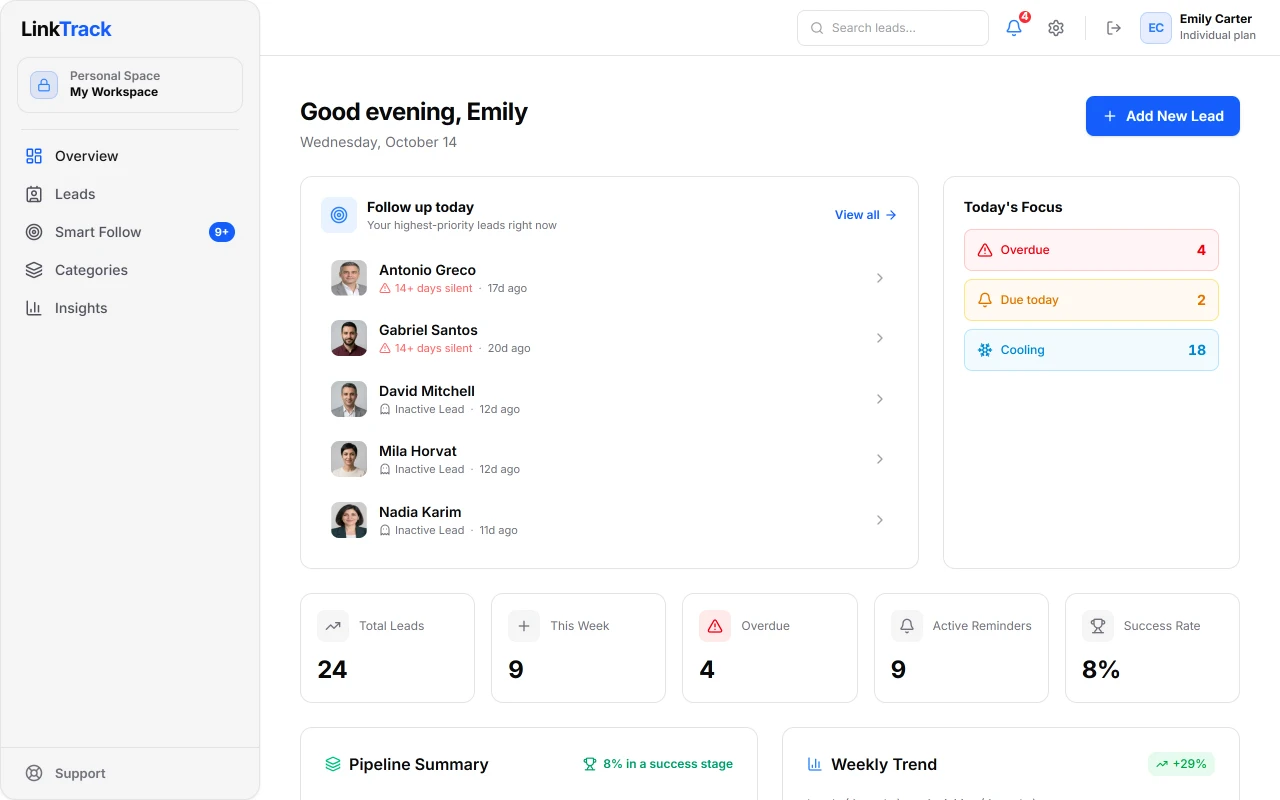
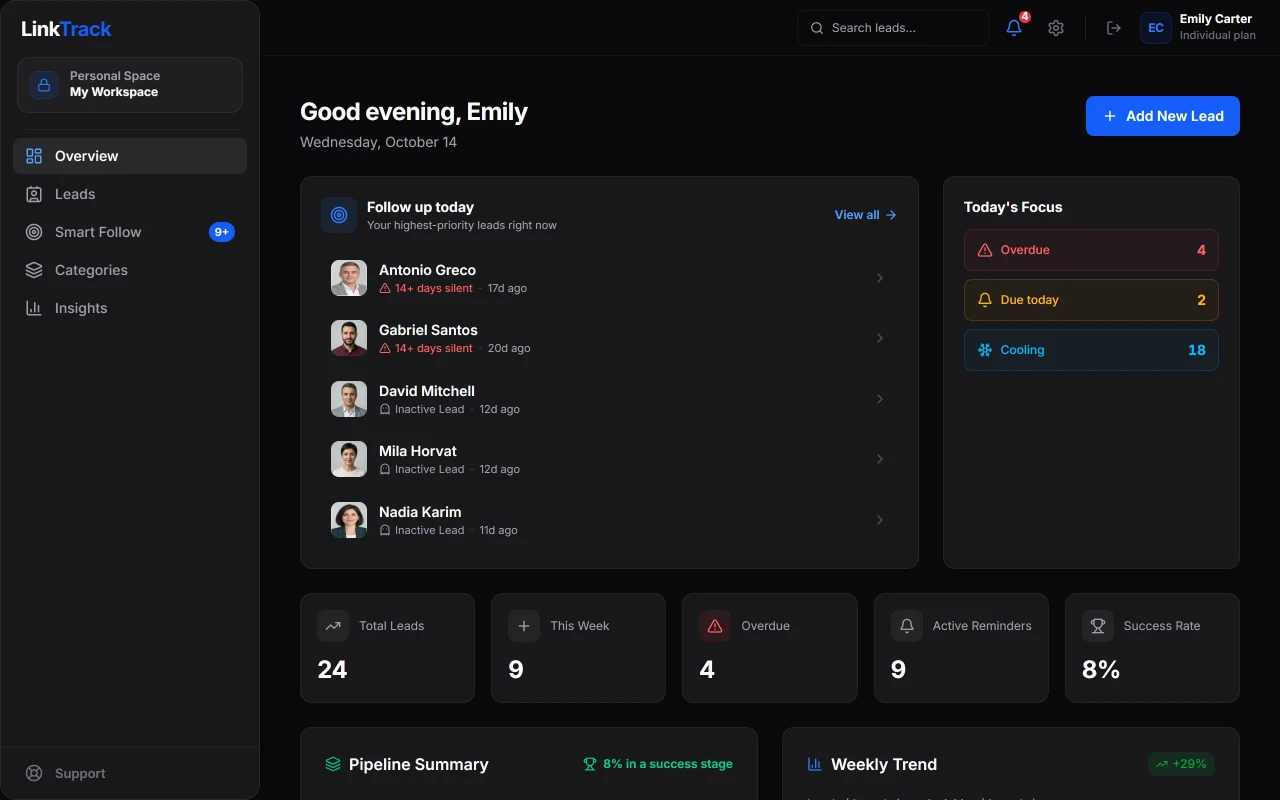
Everyone you save sits somewhere in your pipeline; LinkTrack shows which of them are due a follow-up.
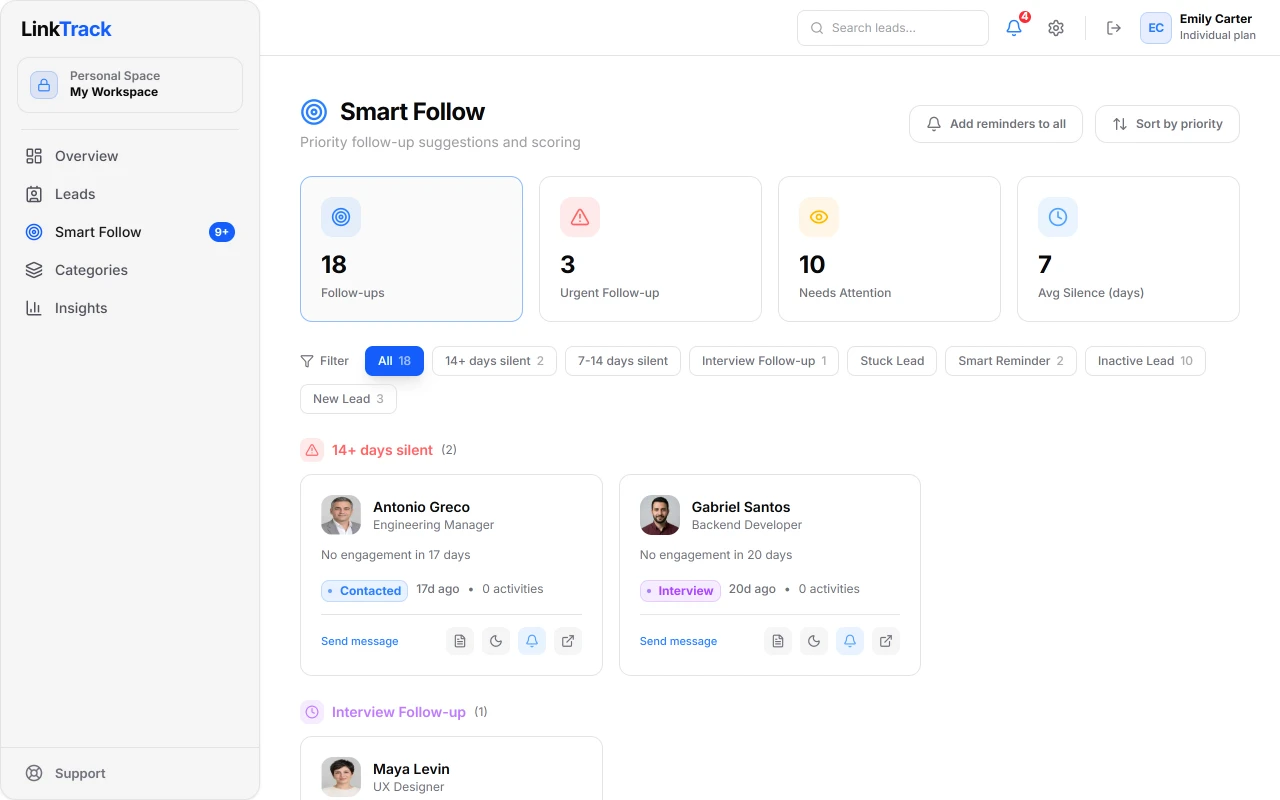
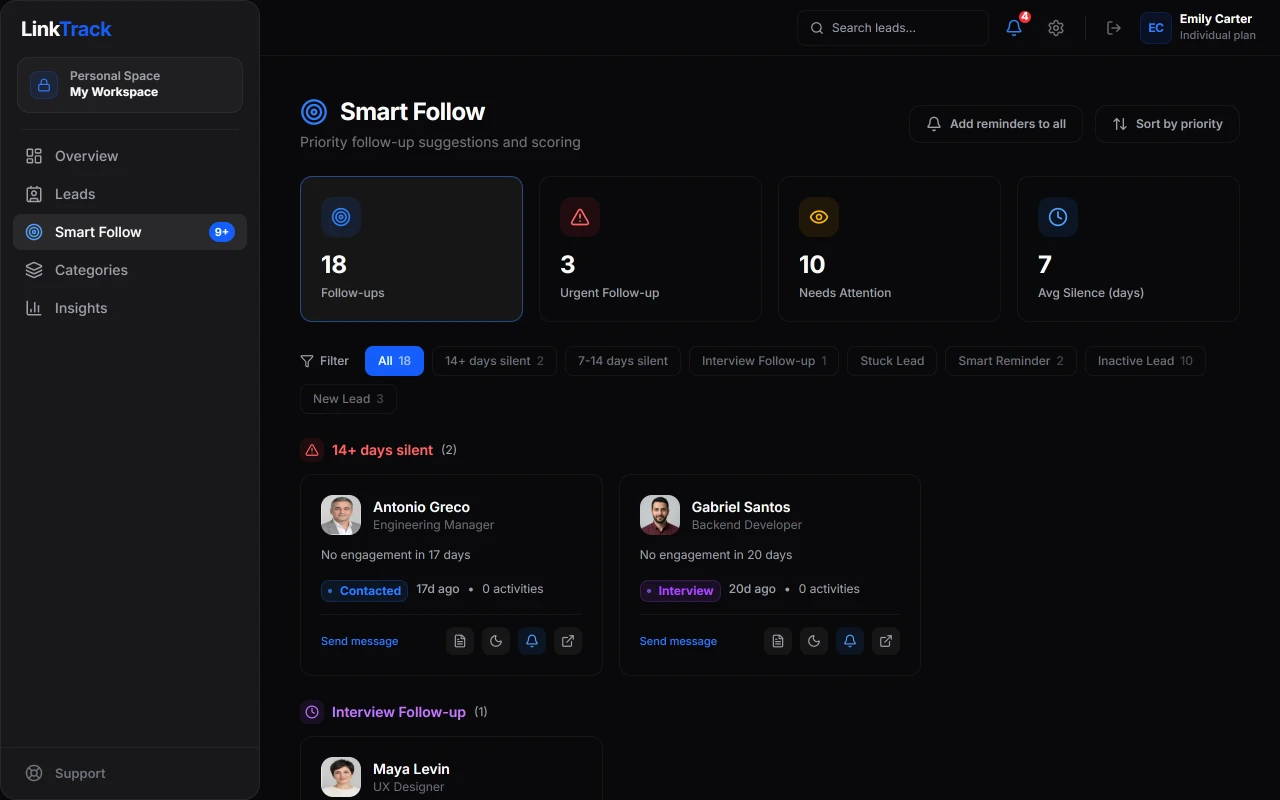
Smart Follow
See who went quiet, who is due and who is stuck
Smart Follow sorts the people you have saved by simple rules: contacts who have gone quiet, follow-ups that are due, people waiting after an interview and people stuck in a stage are at the top of the list every morning (Individual and Team plans). Reminders arrive by email and browser notification.
- Seven rules with thresholds you can adjust
- An A1–C3 priority grade for every contact
- Snooze anyone you are not ready to contact for 3 days
Pipeline
See your whole pipeline on one screen
Manage contacts in your own stages on a Kanban board or in a table. On the Team plan, work from the same list and see who added or moved what in the activity feed.
- Owner, Admin, Member and Viewer roles
- Save the filters you use most as views
- Import and export with CSV and Excel (Individual and Team)
Get started in three steps
Setup takes a few minutes. Save your first contact today.
- Step 1
Install the extension
Add the LinkTrack extension for free from the Chrome Web Store, then sign in with your LinkTrack account.
- Step 2
Save profiles from LinkedIn
Open a profile, then click "Get details" and "Save to LinkTrack" in the extension. Name, title, company, experience and education are filled in for you, and the extension recognises people you have already saved.
- Step 3
Follow up and close
Move leads through your pipeline with reminders, stage updates and team collaboration.
What it does, and doesn’t do, on your LinkedIn account
LinkTrack is not an automation tool. It never acts on your behalf.
It does
- Sends the profile you are viewing to LinkTrack only when you click
- Shows your records only to you and the teammates you invite
- Lets you export your contacts to CSV or Excel at any time
It doesn’t
- Send automated requests to LinkedIn or browse pages on its own
- Send messages or connection requests
- Collect email addresses or phone numbers; only you add those
- Sell your data or use it for advertising
Decisions about your account are made by LinkedIn; LinkTrack is not affiliated with LinkedIn.
From the founder
Finding the right person on LinkedIn is half the job. The other half is getting back to them on time. That follow-up usually lives in spreadsheets, notes and open tabs, and sooner or later someone slips through.
LinkTrack exists to keep all of it in one place: you save the profile, it reminds you who to get back to and when.
I build the product myself and answer support emails myself. If something breaks or you have an idea, write to me directly.

Berkay Şimşek
Founder, LinkTrack · LinkedIn · info@linktrackapp.com
Simple, transparent pricing
Choose the plan that fits. Taxes included, no surprise fees.
Compare all features
| Feature | Free | Individual | Team |
|---|---|---|---|
| Categories | 5 | Unlimited | Unlimited |
| Leads | 25 | Unlimited | Unlimited |
| Active reminders | 5 | Unlimited | Unlimited |
| Chrome extension | Included | Included | Included |
| Weekly digest email | Included | Included | Included |
| Smart Follow | Not included | Included | Included |
| Custom pipeline stages | Not included | Included | Included |
| Lead scoring (A1–C3) | Not included | Included | Included |
| CSV/Excel import and export | Not included | Included | Included |
| Zapier and API integration | Not included | Included | Included |
| Bulk operations | Not included | Included | Included |
| Message templates | Not included | Included | Included |
| Shared workspace | Not included | Not included | Included |
| Team activity feed | Not included | Not included | Included |
| Named roles (Owner/Admin/Member/Viewer) | Not included | Not included | Included |
| Team overview | Not included | Not included | Included |
Guides
Short, practical write-ups on following up with people you find on LinkedIn.
- Tracking candidates from LinkedInSpreadsheet, ATS or CRM: where each one works and where it falls short.
- Follow-up message templatesCopy-ready messages for candidates and prospects who have not replied.
- Follow-up remindersReminders and Smart Follow show who to get back to, and when.
- Saving LinkedIn profiles to ExcelThree ways to get profiles into Excel or Google Sheets.
- Free applicant tracking spreadsheetA recruitment tracker template for Excel and Google Sheets, with follow-up dates.
See also: LinkTrack for recruiters · LinkTrack for sales teams · Boolean search builder · Comparisons with other tools
Frequently asked questions
What is LinkTrack?
LinkTrack is a CRM for recruiting and sales teams who work on LinkedIn. Save profiles with the Chrome extension, follow up with reminders, and manage everything with your team.
Do I need a credit card?
No. You can start on the free plan without a credit card: 25 leads and 5 categories.
What does LinkTrack do on my LinkedIn account?
LinkTrack never acts on your behalf: no automation, no bots, no bulk messaging, no auto-connect or auto-messaging, and it sends no requests to LinkedIn on its own. It only reads profile pages you open yourself, and details are saved to LinkTrack only when you click. Account restrictions are LinkedIn's decision and no third-party tool can guarantee against them; LinkTrack does none of the things that typically trigger them. Contact details like email and phone are only what you enter manually, never collected from LinkedIn.
Where and how is my data stored?
Your data travels only over HTTPS and is stored on servers in the EU. Passwords and session tokens are stored hashed, never in plain text, and every request is authenticated. We never sell your data.
What is included in the free plan?
The free plan includes 25 leads, 5 categories, 5 active reminders, the full Chrome extension and core features of the web app. Smart Follow and lead scoring are on the paid plans. No credit card required.
How do I upgrade my plan?
Go to Settings → Plan to upgrade. The switch is instant and all your existing data is kept.
Can I cancel anytime?
Yes. You can cancel your subscription from your account settings in a few clicks. After cancelling, you keep full access until the end of your current billing period. No hidden fees.
Do you offer refunds?
We offer a 14-day money-back guarantee: if you are not satisfied, contact us within 14 days of your initial purchase for a full refund. Payments and refunds are processed by our Merchant of Record, Lemon Squeezy.
Can I collaborate with my team?
Shared workspaces are available on the Team plan. Your team can view and update the same leads and follow the activity feed together.
Can I export my data?
On the Individual and Team plans you can export to CSV and Excel. Your data is always yours.
Does LinkTrack integrate with other tools?
Yes. LinkTrack offers a REST API and a Zapier integration (on the Individual and Team plans, currently in early access), so you can connect new leads to 6,000+ apps (CRMs, spreadsheets, Slack and more). Generate an API key in Settings → Integrations to get started.
Start for free
No credit card required. Start with 25 leads and 5 categories.